


3D Scanner Software Downloads for Scanning, Measurement, and Scan-to-CAD

Download 3D Scanner Software for Revopoint3D Devices
Get the right software and tools for your Revopoint 3D scanner.
Scanner Software
No Results Found

Revo Scan 6
3D Scanning and Post-processing Software

Windows
V6.4.1
Updated on
11
October
2026
Compatible Device:
Range 3INSPIRE 2INSPIRERANGE 2MINI 2POP 3POP 3 PlusPOP 4MIRACOMIRACO ProMIRACO Plus

macOS
V6.4.1
Updated on
14
October
2026
Compatible Device:
Range 3POP 4INSPIRE 2INSPIREMINI 2RANGE 2POP 3 PlusPOP 3MIRACO PlusMIRACO ProMIRACO

Android
V6.0.3.5
Updated on
10
August
2026
Compatible Device:
Range 3POPPOP 2POP 3POP 3 PlusPOP 4MINIMINI 2RANGERANGE 2INSPIREINSPIRE 2

iOS
V6.0.2
Updated on
31
August
2026
Compatible Device:
Range 3POPPOP 2POP 3POP 3 PlusPOP 4MINIMINI 2RANGERANGE 2INSPIREINSPIRE 2
Coming Soon
Download


Revo Scan 5
Professional 3D scanning and post-processing software.
Windows
V5.5.5
Updated on
20
December
2025
Compatible Device:
POPPOP 2POP 3POP 3 PlusMINIMINI 2RANGERANGE 2MIRACOMIRACO ProMIRACO PlusINSPIRE
macOS
V5.5.5
Updated on
20
December
2025
Compatible Device:
POPPOP 2POP 3POP 3 PlusMINIMINI 2RANGERANGE 2MIRACOMIRACO ProMIRACO PlusINSPIRE
Android
V5.4.2
Updated on
11
October
2025
Compatible Device:
POPPOP 2POP 3POP 3 PlusMINIMINI 2RANGERANGE 2INSPIREINSPIRE 2
iOS
V5.4.2
Updated on
13
October
2025
Compatible Device:
POPPOP 2POP 3POP 3 PlusMINIMINI 2RANGERANGE 2INSPIREINSPIRE 2
Coming Soon
Download


Revo Metro
Professional 3D scanning and post-processing software.
Windows
V5.8.8
Updated on
17
September
2026
Compatible Device:
INSPIRE 2MetroYMetroY ProMetroY UltraMetroXMetroX Pro
macOS
V5.8.8
Updated on
17
September
2026
Compatible Device:
INSPIRE 2MetroYMetroY ProMetroY UltraMetroXMetroX Pro

Revo Track
Specialized 3D scanning and post-processing software for Trackit series 3D scanners.
Windows
V5.7.10
Updated on
8
September
2026
Compatible Device:
TrackitTrackit SR
macOS
V5.7.10
Updated on
14
September
2026
Compatible Device:
TrackitTrackit SR

Revo Mirror
PC-to-mobile device streaming for real-time preview and scan monitoring.
Windows
V1.0.0
Updated on
1
October
2025
Compatible Device:
POPPOP 2POP 3POP 3 PlusMIRACOMIRACO ProMIRACO PlusPOP 4MINIMINI 2RANGERANGE 2INSPIREINSPIRE 2MetroYMetroY ProMetroY UltraMetroXMetroX ProTrackitTrackit SR
macOS
12-15 V1.0.0
12-15 V1.0.0
Updated on
15
December
2025
Compatible Device:
POPPOP 2POP 3POP 3 PlusMIRACOMIRACO ProMIRACO PlusPOP 4MINIMINI 2RANGERANGE 2INSPIREINSPIRE 2MetroYMetroY ProMetroY UltraMetroXMetroX ProTrackitTrackit SR

macOS Tahoe
V1.1.0
Updated on
5
August
2026
Compatible Device:
POP
POP 2
POP 3
POP 3 Plus
MIRACO
MIRACO Pro
MIRACO Plus
POP 4
MINI
MINI 2
RANGE
RANGE 2
INSPIRE
INSPIRE 2
MetroY
MetroY Pro
MetroY Ultra
MetroX
MetroX Pro
Trackit
Trackit SR
Android
V1.0.0
Updated on
1
October
2026
Compatible Device:
POPPOP 2POP 3POP 3 PlusMIRACOMIRACO ProMIRACO PlusPOP 4MINIMINI 2RANGERANGE 2INSPIREINSPIRE 2MetroYMetroY ProMetroY UltraMetroXMetroX ProTrackitTrackit SR
iOS
V1.0.2
Updated on
25
August
2026
Compatible Device:
POPPOP 2POP 3POP 3 PlusMIRACOMIRACO ProMIRACO PlusPOP 4MINIMINI 2RANGERANGE 2INSPIREINSPIRE 2MetroYMetroY ProMetroY UltraMetroXMetroX ProTrackitTrackit SR
Coming Soon
Download
Professional Software
No Results Found

Revo Design
Scan-to-CAD conversion software.

Revo Measure
Expert metrology software for effortless and rapid 3D scan data capture.
Windows
V2026.0.3
Updated on
16
October
2026
Compatible Device:
All 3D scanners
Accessories Control Software

Product Support
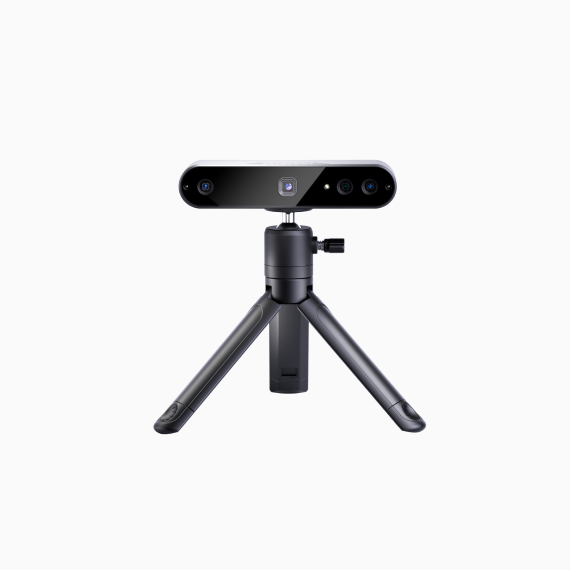
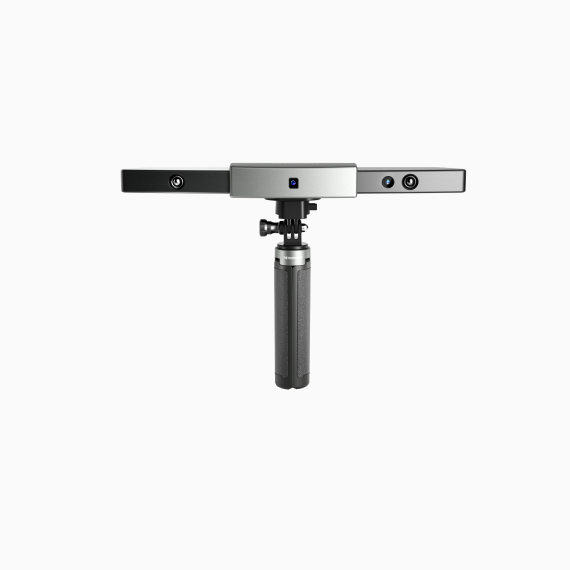
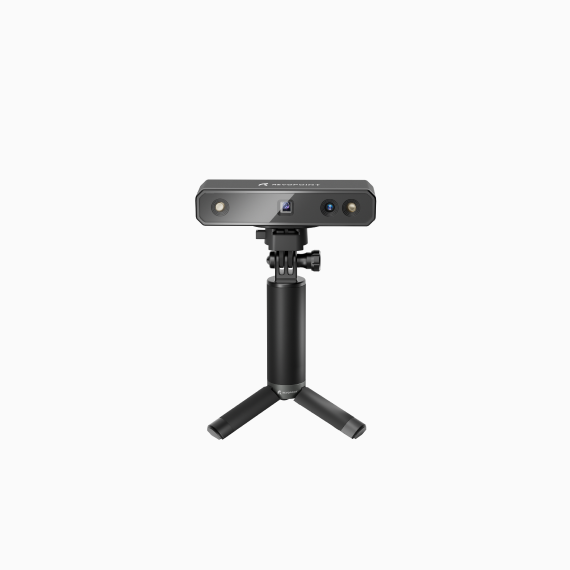
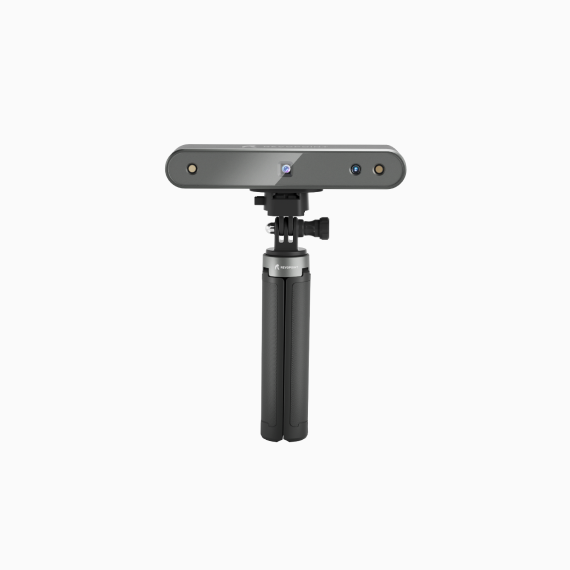
Find your product through browsing by the product name




Documents
PC Update Notes
Revo Measure V2026.0.3 (Windows) Updates:
Updated 2026-10-16
Legacy Version
Revo Measure
V2026.0.3 (Windows) Updates:
1. Added Slot Feature.
2. Added an along-axis creation method for sections.
3. Added support for re-editing selected measurement objects during section measurement.
4. Added RPS Alignment.
5. Added Manual Alignment.
6. Added Local Alignment.
7. Added Coordinate System Alignment.
8. Added Datum Alignment.
9. Added Local Deviation measurement.
10. Added the Create from Auxiliary Object mode for Plane features.
11. Added a one-click option to simplify label display.
12. Added support for exporting reports in CSV format.
13. Added support for organizing point deviations into groups and configuring the deviation display direction.
14. Enhanced the Deviation Map editor with expanded parameter configuration options.
15. Improved line rendering when creating features from CAD.
16. Added drag-and-drop import support for scan and reference models.
17. Added support for configuring which measurement data is displayed for each feature.
18. Fixed several known issues.
19. Optimizes user experience for certain features.
2. Added an along-axis creation method for sections.
3. Added support for re-editing selected measurement objects during section measurement.
4. Added RPS Alignment.
5. Added Manual Alignment.
6. Added Local Alignment.
7. Added Coordinate System Alignment.
8. Added Datum Alignment.
9. Added Local Deviation measurement.
10. Added the Create from Auxiliary Object mode for Plane features.
11. Added a one-click option to simplify label display.
12. Added support for exporting reports in CSV format.
13. Added support for organizing point deviations into groups and configuring the deviation display direction.
14. Enhanced the Deviation Map editor with expanded parameter configuration options.
15. Improved line rendering when creating features from CAD.
16. Added drag-and-drop import support for scan and reference models.
17. Added support for configuring which measurement data is displayed for each feature.
18. Fixed several known issues.
19. Optimizes user experience for certain features.
Revo Scan 6
V6.4.1 (Mac) Updates:
1. Improves the display during Laser Line scanning.
2. Adds a toggle to remove isolated elements during point cloud Fusion.
3. Supports importing and exporting Global Markers in PLY point cloud format.
4. Adds Global Marker scan quality when creating Global Markers.
5. Adds Laser Line scanning to Color tracking mode (note: the computer must have a dedicated graphics card, and POP 4 must be updated to firmware later than v5.3.99).
6. Adds a scan quality map for VCSEL fast scanning in Color tracking mode.
7. Models created with Laser Line scanning now support Texture Capture using additional photos taken after scanning with a smartphone or DSLR camera.
8. Adds support for editing the Raw Point Cloud. In Laser Line scanning mode, projects containing markers also allow marker editing in the Raw Point Cloud.
9. Models created with Laser Line scanning now support 3DGS training after being merged.
10. Merged models now support training with 3DGS Image Supplement using additional photos taken with a smartphone or DSLR camera.
11. Fixes some known issues.
2. Adds a toggle to remove isolated elements during point cloud Fusion.
3. Supports importing and exporting Global Markers in PLY point cloud format.
4. Adds Global Marker scan quality when creating Global Markers.
5. Adds Laser Line scanning to Color tracking mode (note: the computer must have a dedicated graphics card, and POP 4 must be updated to firmware later than v5.3.99).
6. Adds a scan quality map for VCSEL fast scanning in Color tracking mode.
7. Models created with Laser Line scanning now support Texture Capture using additional photos taken after scanning with a smartphone or DSLR camera.
8. Adds support for editing the Raw Point Cloud. In Laser Line scanning mode, projects containing markers also allow marker editing in the Raw Point Cloud.
9. Models created with Laser Line scanning now support 3DGS training after being merged.
10. Merged models now support training with 3DGS Image Supplement using additional photos taken with a smartphone or DSLR camera.
11. Fixes some known issues.
Revo Scan 6
V6.4.1 (Windows) Updates:
1. Improves the display during Laser Line scanning.
2. Adds a toggle to remove isolated elements during point cloud Fusion.
3. Supports importing and exporting Global Markers in PLY point cloud format.
4. Adds Global Marker scan quality when creating Global Markers.
5. Adds Laser Line scanning to Color tracking mode (note: the computer must have a dedicated graphics card, and POP 4 must be updated to firmware later than v5.3.99).
6. Adds a scan quality map for VCSEL fast scanning in Color tracking mode.
7. Models created with Laser Line scanning now support Texture Capture using additional photos taken after scanning with a smartphone or DSLR camera.
8. Adds support for editing the Raw Point Cloud. In Laser Line scanning mode, projects containing markers also allow marker editing in the Raw Point Cloud.
9. Models created with Laser Line scanning now support 3DGS training after being merged.
10. Merged models now support training with 3DGS Image Supplement using additional photos taken with a smartphone or DSLR camera.
11. Fixes some known issues.
2. Adds a toggle to remove isolated elements during point cloud Fusion.
3. Supports importing and exporting Global Markers in PLY point cloud format.
4. Adds Global Marker scan quality when creating Global Markers.
5. Adds Laser Line scanning to Color tracking mode (note: the computer must have a dedicated graphics card, and POP 4 must be updated to firmware later than v5.3.99).
6. Adds a scan quality map for VCSEL fast scanning in Color tracking mode.
7. Models created with Laser Line scanning now support Texture Capture using additional photos taken after scanning with a smartphone or DSLR camera.
8. Adds support for editing the Raw Point Cloud. In Laser Line scanning mode, projects containing markers also allow marker editing in the Raw Point Cloud.
9. Models created with Laser Line scanning now support 3DGS training after being merged.
10. Merged models now support training with 3DGS Image Supplement using additional photos taken with a smartphone or DSLR camera.
11. Fixes some known issues.
Revo Metro
V5.8.8 (Windows & Mac) Updates:
1. Adds color texture support for MetroY and MetroX Pro Marker modes (requires latest firmware update).
2. Adds support for Electric Large Turntable.
3. Adds an optimization level for Fast Mesh, improving processing speed.
4. Optimizes the display effect under laser scanning.
5. Adds global Marker scan Marker fusion quality.
6. Adds an option to remove isolated items during point cloud fusion.
7. Global Marker export supports PLY point cloud format.
8. Fixes known issues.
2. Adds support for Electric Large Turntable.
3. Adds an optimization level for Fast Mesh, improving processing speed.
4. Optimizes the display effect under laser scanning.
5. Adds global Marker scan Marker fusion quality.
6. Adds an option to remove isolated items during point cloud fusion.
7. Global Marker export supports PLY point cloud format.
8. Fixes known issues.
Revo Scan 6
V6.3.2 (Mac) Updates:
1. Adds real-time point cloud merging during Global Marker + Line Laser scanning; point cloud is generated immediately upon scan completion.
2. Point cloud merging for Line Laser scanning now supports GPU acceleration, improving merge processing efficiency.
3. Adds Smart Trim for objects scanned with Line Laser.
4. Supports adjusting the target point distance at any time during Line Laser scanning; model rendering updates in real time accordingly.
5. Adds Two-Point Distance Measurement, supporting point selection on point cloud, mesh, texture, and 3DGS models.
6. Adds Smooth Brush for smoothing local areas of a model.
7. Supports hybrid stitching in Color Stitching mode (color texture + markers), improving stitching stability.
8. Adds 3D mouse support, enhancing 3D model manipulation.
9. Supports deleting scan files currently in editing.
10. Merged and aligned models support 3DGS training (both models must be color models before merging).
11. Adds New Scan and Resume Scan buttons on the Edit page for quick access.
12. Fixes known issues.
2. Point cloud merging for Line Laser scanning now supports GPU acceleration, improving merge processing efficiency.
3. Adds Smart Trim for objects scanned with Line Laser.
4. Supports adjusting the target point distance at any time during Line Laser scanning; model rendering updates in real time accordingly.
5. Adds Two-Point Distance Measurement, supporting point selection on point cloud, mesh, texture, and 3DGS models.
6. Adds Smooth Brush for smoothing local areas of a model.
7. Supports hybrid stitching in Color Stitching mode (color texture + markers), improving stitching stability.
8. Adds 3D mouse support, enhancing 3D model manipulation.
9. Supports deleting scan files currently in editing.
10. Merged and aligned models support 3DGS training (both models must be color models before merging).
11. Adds New Scan and Resume Scan buttons on the Edit page for quick access.
12. Fixes known issues.
Revo Scan 6
V6.3.2 (Windows) Updates:
1. Adds real-time point cloud merging during Global Marker + Line Laser scanning; point cloud is generated immediately upon scan completion.
2. Point cloud merging for Line Laser scanning now supports GPU acceleration, improving merge processing efficiency.
3. Adds Smart Trim for objects scanned with Line Laser.
4. Supports adjusting the target point distance at any time during Line Laser scanning; model rendering updates in real time accordingly.
5. Adds Two-Point Distance Measurement, supporting point selection on point cloud, mesh, texture, and 3DGS models.
6. Adds Smooth Brush for smoothing local areas of a model.
7. Supports hybrid stitching in Color Stitching mode (color texture + markers), improving stitching stability.
8. Adds 3D mouse support, enhancing 3D model manipulation.
9. Supports deleting scan files currently in editing.
10. Merged and aligned models support 3DGS training (both models must be color models before merging).
11. Fixes POP 4 connection issue on Mac.
12. Adds New Scan and Resume Scan buttons on the Edit page for quick access.
13. Fixes known issues.
2. Point cloud merging for Line Laser scanning now supports GPU acceleration, improving merge processing efficiency.
3. Adds Smart Trim for objects scanned with Line Laser.
4. Supports adjusting the target point distance at any time during Line Laser scanning; model rendering updates in real time accordingly.
5. Adds Two-Point Distance Measurement, supporting point selection on point cloud, mesh, texture, and 3DGS models.
6. Adds Smooth Brush for smoothing local areas of a model.
7. Supports hybrid stitching in Color Stitching mode (color texture + markers), improving stitching stability.
8. Adds 3D mouse support, enhancing 3D model manipulation.
9. Supports deleting scan files currently in editing.
10. Merged and aligned models support 3DGS training (both models must be color models before merging).
11. Fixes POP 4 connection issue on Mac.
12. Adds New Scan and Resume Scan buttons on the Edit page for quick access.
13. Fixes known issues.
Revo Track
V5.7.10 (Windows & Mac) Updates:
1. Adapts the Mac version to support Trackit SR.
2. Optimizes the calibration process, supporting calibration resumption after an unexpected exit.
3. Adds an optimization level for Fast Mesh, improving processing speed.
4. For Trackit SR, optimizes the user experience of using a mixed wired and wireless connection, improving frame rate and connection stability.
5. Improves the stability of Trackit SR wireless scanning.
6. Optimizes the display effect during laser scanning.
7. Improves marker fusion quality during multi-position scans and marker scans.
8. Adds a toggle to remove isolated points under point cloud fusion.
9. Adds ply point cloud format support for Global Marker export.
10. Fixes some bugs.
2. Optimizes the calibration process, supporting calibration resumption after an unexpected exit.
3. Adds an optimization level for Fast Mesh, improving processing speed.
4. For Trackit SR, optimizes the user experience of using a mixed wired and wireless connection, improving frame rate and connection stability.
5. Improves the stability of Trackit SR wireless scanning.
6. Optimizes the display effect during laser scanning.
7. Improves marker fusion quality during multi-position scans and marker scans.
8. Adds a toggle to remove isolated points under point cloud fusion.
9. Adds ply point cloud format support for Global Marker export.
10. Fixes some bugs.
Revo Scan 6
V6.3.1 (Windows & Mac) Updates:
1. Adds GPU fusion scope; adds GPU acceleration for point cloud fusion supporting hybrid HD scanning and VCSEL fast scanning.
2. Fixes file permission issues with the new installation package and resolves a problem where the software fails to launch on some devices.
3. Fixes point cloud fusion algorithm performance.
4. Fixes some bugs.
2. Fixes file permission issues with the new installation package and resolves a problem where the software fails to launch on some devices.
3. Fixes point cloud fusion algorithm performance.
4. Fixes some bugs.
Revo Measure
V2026.0.2 (Windows) Updates:
1. Adds USB security key-based software activation.
2. Adds monthly subscription support with auto-renewal.
3. Adds "Plane-Plane-Plane" alignment mode to the 3-2-1 Plane-Axis-Point alignment function.
4. Adds point feature creation mode using auxiliary objects.
5. Adds circle feature creation mode using auxiliary objects.
6. Adds free annotation positioning during cross section measurement.
7. Adds support for 12 additional CAD file formats.
8. Optimizes Pass/Fail status background colors in reports.
9. Adds custom logo support in reports.
10. Optimizes point deviation visualization.
11. Optimizes visual feedback in point-selection mode.
12. Fixes some bugs.
2. Adds monthly subscription support with auto-renewal.
3. Adds "Plane-Plane-Plane" alignment mode to the 3-2-1 Plane-Axis-Point alignment function.
4. Adds point feature creation mode using auxiliary objects.
5. Adds circle feature creation mode using auxiliary objects.
6. Adds free annotation positioning during cross section measurement.
7. Adds support for 12 additional CAD file formats.
8. Optimizes Pass/Fail status background colors in reports.
9. Adds custom logo support in reports.
10. Optimizes point deviation visualization.
11. Optimizes visual feedback in point-selection mode.
12. Fixes some bugs.
Revo Scan 6
V6.3.0 (Windows & Mac) Updates:
1. Adds "Texture Capture" mode to texture mapping, supporting high-resolution images from mobile phones, professional cameras, and other devices to enhance texture quality. (Currently supports POP 4 and INSPIRE 2 only).
2. Adds "3DGS Image Supplement" mode to 3DGS, supporting model training with high-resolution images from mobile phones, professional cameras, and other devices to enhance model quality. (Currently supports POP 4 and INSPIRE 2 only).
3. Supports color texture mapping in POP 4's laser line scanning mode.
4. Supports GPU acceleration for full-field HD scan point cloud fusion, improving fusion efficiency (NVIDIA, AMD, and Mac graphics cards only).
5. Adds transform model function to adjust point clouds, meshes, and textured models to optimal positions for convenient export and further processing.
6. Supports Electric Large Turntable.
7. Supports AMD graphics cards for 3DGS training and AI-powered segmentation.
8. Supports INSPIRE 2 devices with 3DGS and AI-powered segmentation optimization for INSPIRE 2.
9. Adds model perspective synchronization, camera view rotation during scanning automatically syncs the model display view.
10. Supports GPU acceleration compatibility testing for graphics cards: RX 7700 XT, RX 9070 XT, RX 6750 GRE.
11. New mesh generation algorithm – 3x faster processing, reduced waiting time.
12. Fixes some bugs.
2. Adds "3DGS Image Supplement" mode to 3DGS, supporting model training with high-resolution images from mobile phones, professional cameras, and other devices to enhance model quality. (Currently supports POP 4 and INSPIRE 2 only).
3. Supports color texture mapping in POP 4's laser line scanning mode.
4. Supports GPU acceleration for full-field HD scan point cloud fusion, improving fusion efficiency (NVIDIA, AMD, and Mac graphics cards only).
5. Adds transform model function to adjust point clouds, meshes, and textured models to optimal positions for convenient export and further processing.
6. Supports Electric Large Turntable.
7. Supports AMD graphics cards for 3DGS training and AI-powered segmentation.
8. Supports INSPIRE 2 devices with 3DGS and AI-powered segmentation optimization for INSPIRE 2.
9. Adds model perspective synchronization, camera view rotation during scanning automatically syncs the model display view.
10. Supports GPU acceleration compatibility testing for graphics cards: RX 7700 XT, RX 9070 XT, RX 6750 GRE.
11. New mesh generation algorithm – 3x faster processing, reduced waiting time.
12. Fixes some bugs.
Revo Track
V5.7.9 (Windows) Updates:
1. Adds Trackit SR scanner support.
2. Supports real-time Scanner pose retrieval via TCP control service.
3. Optimizes the Trackit calibration process.
2. Supports real-time Scanner pose retrieval via TCP control service.
3. Optimizes the Trackit calibration process.
Revo Track
V5.7.8 (Windows) Updates:
1. Adds thin-walled object scanning function to track scan, enhancing the quality of scanning thin-wall objects.
2. Increases high-quality fusion with a "Noise Reduction" feature, optimizing model edges and removing redundant noise points.
3. Adds TCP control service, allowing third-party programs to connect and control Revo Track through a specified port.
4. Optimizes user experience.
5. Fixes some bugs.
2. Increases high-quality fusion with a "Noise Reduction" feature, optimizing model edges and removing redundant noise points.
3. Adds TCP control service, allowing third-party programs to connect and control Revo Track through a specified port.
4. Optimizes user experience.
5. Fixes some bugs.
Revo Scan 6
V6.2.3 (Windows) Updates:
1. Fixes some bugs.
Revo Scan 6
V6.2.3 (Mac) Updates:
1. The Mac version supports for new devices: INSPIRE, RANGE 2, MINI 2, POP 3, and MIRACO series.
2. The Mac version supports 3DGS function for the POP 4.
3. Fixed some bugs.
2. The Mac version supports 3DGS function for the POP 4.
3. Fixed some bugs.
Revo Measure
V2026.0.1 (Windows) Updates:
1. Adds section measurement function.
2. Adds 3-2-1 Plane-Axis-Point alignment function.
3. Adds create coordinate system function.
4. Adds screenshot function, allowing to save locally or export to reports.
5. Adds issue feedback function.
6. Supporting import of 15 types of CAD files.
7. Optimizes template measurement stop logic.
8. Enables template measurement to support automatic measurement using reference mesh files.
9. Enables template measurement to support switching between measurement results from different files.
10. Optimizes report content display method.
11. Optimizes display of software startup page, icons, point deviation, features, GD&T, and other visual elements.
12. Optimizes automatic alignment algorithms for thin-walled parts, incomplete parts, and symmetrical parts.
13. Displays additional attributes for distance, feature, and other labels.
14. Supports free switching between alignment results with automatic data updates.
15. Supports undo and redo for brush selection, rectangular selection, and lasso selection.
16. Provides report customization interface, allowing users to perform secondary development using raw data.
17. Fixes some bugs.
2. Adds 3-2-1 Plane-Axis-Point alignment function.
3. Adds create coordinate system function.
4. Adds screenshot function, allowing to save locally or export to reports.
5. Adds issue feedback function.
6. Supporting import of 15 types of CAD files.
7. Optimizes template measurement stop logic.
8. Enables template measurement to support automatic measurement using reference mesh files.
9. Enables template measurement to support switching between measurement results from different files.
10. Optimizes report content display method.
11. Optimizes display of software startup page, icons, point deviation, features, GD&T, and other visual elements.
12. Optimizes automatic alignment algorithms for thin-walled parts, incomplete parts, and symmetrical parts.
13. Displays additional attributes for distance, feature, and other labels.
14. Supports free switching between alignment results with automatic data updates.
15. Supports undo and redo for brush selection, rectangular selection, and lasso selection.
16. Provides report customization interface, allowing users to perform secondary development using raw data.
17. Fixes some bugs.
Revo Metro
V5.8.7 (Windows & Mac) Updates:
1. Adds support for color textures in marker point mode for MetroY Ultra and MetroY Pro (requires the latest firmware update).
2. Optimizes the scanning perspective for an improved user experience.
3. Adds a high‑quality fusion "Noise Reduction" feature to optimize model edges and reduce extraneous noise.
4. Fixes some bugs.
2. Optimizes the scanning perspective for an improved user experience.
3. Adds a high‑quality fusion "Noise Reduction" feature to optimize model edges and reduce extraneous noise.
4. Fixes some bugs.
Revo Measure
V1.1.1 (Windows) Updates:
1. Adds a self-service activation code redemption link.
2. Fixes some bugs.
2. Fixes some bugs.
Revo Track
V5.7.7 (Windows) Updates:
Optimizes device connection stability during scanner calibrations.
Revo Metro
V5.8.6 (Windows & Mac) Updates:
1. Adds support for the MetroY Ultra scanner.
2. Adds high-speed scanning for INSPIRE 2 multi-line laser mode, improving large-angle scan tracking efficiency.
3. Optimizes undo behavior for the smoothing brush.
4. Fixes some bugs.
2. Adds high-speed scanning for INSPIRE 2 multi-line laser mode, improving large-angle scan tracking efficiency.
3. Optimizes undo behavior for the smoothing brush.
4. Fixes some bugs.
Revo Metro
V5.8.5 (Windows & Mac) Updates:
1. Improves laser line scanning performance in CPU mode and enhances user experience.
2. Adds high-speed scanning functionality in laser line scanning mode, improving the efficiency of large-angle scanning and tracking.
3. Adds an depth camera automatic exposure function in laser line scanning mode.
4. Supports exporting models with the scanner's left camera as the origin coordinate.
5. Adds Smooth Brush strength adjustment.
6. Optimizes M key menu switching (short-press M key to enter/switch settings).
7. Third‑party software now includes a Geomagic jump function.
8. Adds shortcut key settings and instructions.
9. Adds new "Delete unselected content" function.
10. Optimizes user experience.
11. Fixes some bugs.
2. Adds high-speed scanning functionality in laser line scanning mode, improving the efficiency of large-angle scanning and tracking.
3. Adds an depth camera automatic exposure function in laser line scanning mode.
4. Supports exporting models with the scanner's left camera as the origin coordinate.
5. Adds Smooth Brush strength adjustment.
6. Optimizes M key menu switching (short-press M key to enter/switch settings).
7. Third‑party software now includes a Geomagic jump function.
8. Adds shortcut key settings and instructions.
9. Adds new "Delete unselected content" function.
10. Optimizes user experience.
11. Fixes some bugs.
Revo Scan 5
V5.5.5 (Windows & Mac) Updates:
Optimizes MIRACO's supported calibration boards.
Revo Scan 5
V5.5.4 (Windows & Mac) Updates:
1. Adds wireless or wired casting to PCs.
2. Updates some interface aspects and UI copy.
2. Updates some interface aspects and UI copy.
Revo Scan 5
V5.5.3 (Windows & Mac) Updates:
1. Adds quick access to Revo Design on Windows systems.
2. Fixes some bugs.
3. Optimizes the user experience.
2. Fixes some bugs.
3. Optimizes the user experience.
FAQ
What is 3D scanner software?
3D scanner software is used to capture, process, align, and export 3D scan data from compatible scanners. Revopoint software supports workflows such as point cloud acquisition, mesh generation, post-processing, 3D measurement, and scan-to-CAD conversion.
Which Revopoint scanner software should I download?
The right software depends on your scanner model and workflow. Revo Scan 6 supports many compatible portable and standalone scanners, including POP 4, for scanning and post-processing. Revo Metro is designed for Metro series workflows, while Revo Track is built for Trackit series scanners. For professional workflows, Revo Measure supports 3D measurement and inspection, and Revo Design focuses on scan-to-CAD and reverse engineering. Always check scanner compatibility on the Software Download Center before downloading.
Is Revopoint scanner software available for Windows, macOS, iPhone, and Android?
Yes. Revopoint provides scanning software for Windows, macOS, iOS, and Android, depending on the scanner model and software version. Availability varies by device, so check the Software Download Center for the latest compatibility information before downloading.
What is the difference between Revo Scan 6 and Revo Scan 5?
Revo Scan 6 is the newer software generation, with an updated architecture and interface, simplified file management, and enhanced post-processing features. Revo Scan 5 remains available for supported scanners and workflows that require earlier software compatibility. Check your scanner model before choosing a version.
Can I use Revopoint software for 3D measurement, inspection, and reverse engineering?
Yes. Revo Measure supports 3D measurement, inspection, CAD comparison, and deviation analysis. Revo Design supports scan-to-CAD conversion and reverse-engineering workflows for product development and design. Together with Revo Scan 6, Revo Metro, or Revo Track, these tools can support a complete workflow from 3D scanning to measurement or CAD-based modeling.
