


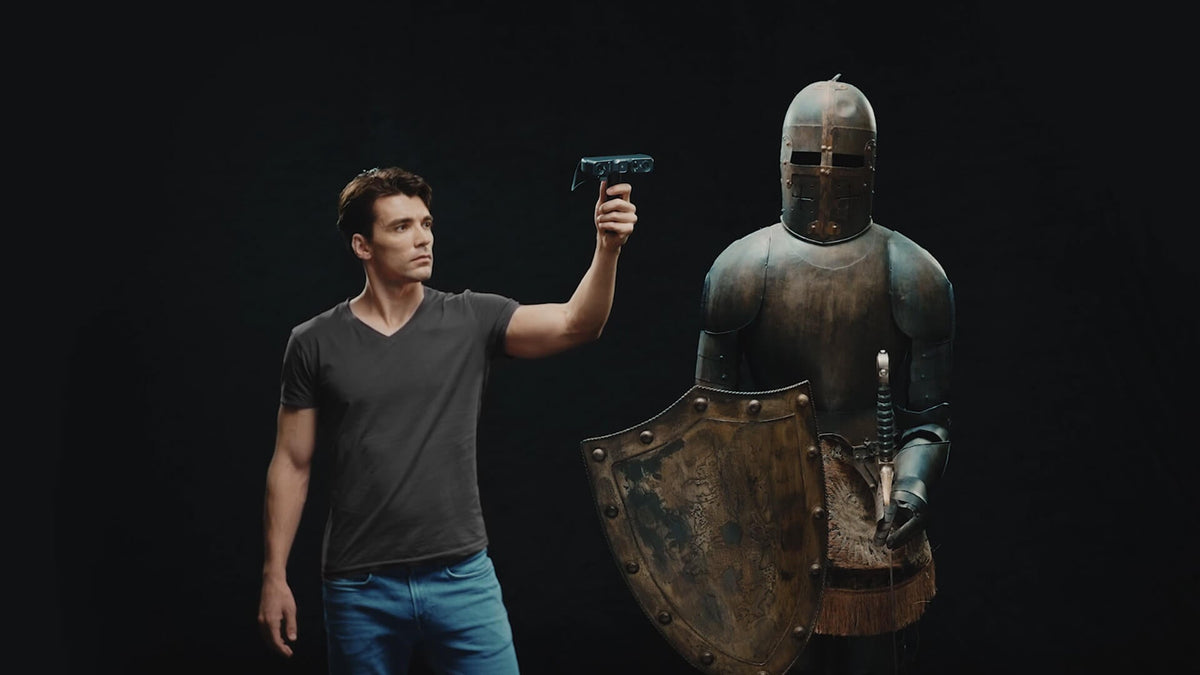
Want to turn a life-size sculpture, a person, a chair or a cosplay prop into a digital model? The Revopoint RANGE 3 is made for large-object 3D scanning, giving makers and creators a handheld way to capture subjects that are awkward to fit on a small turntable. Its near-infrared VCSEL structured light and wide capture area help you move around the subject and build its overall shape.
That makes RANGE 3 a practical first step for artists, hobbyists, educators and digital creators who want to try scanning larger subjects without starting with a complex, fixed setup. The workflow still rewards a steady hand and good tracking, but the goal is straightforward: capture the subject in overlapping passes, review the scan, then shape the data into a model with Revo Scan 6.
Why wide-area capture helps with a first large-object scan
A small tabletop scanner can make a standing statue or full-body figure feel like a series of separate close-up scans. RANGE 3 lets you follow a walk-around route instead. The subject stays in place while you move across the front, sides, back and higher or lower angles, building a connected view of its form.
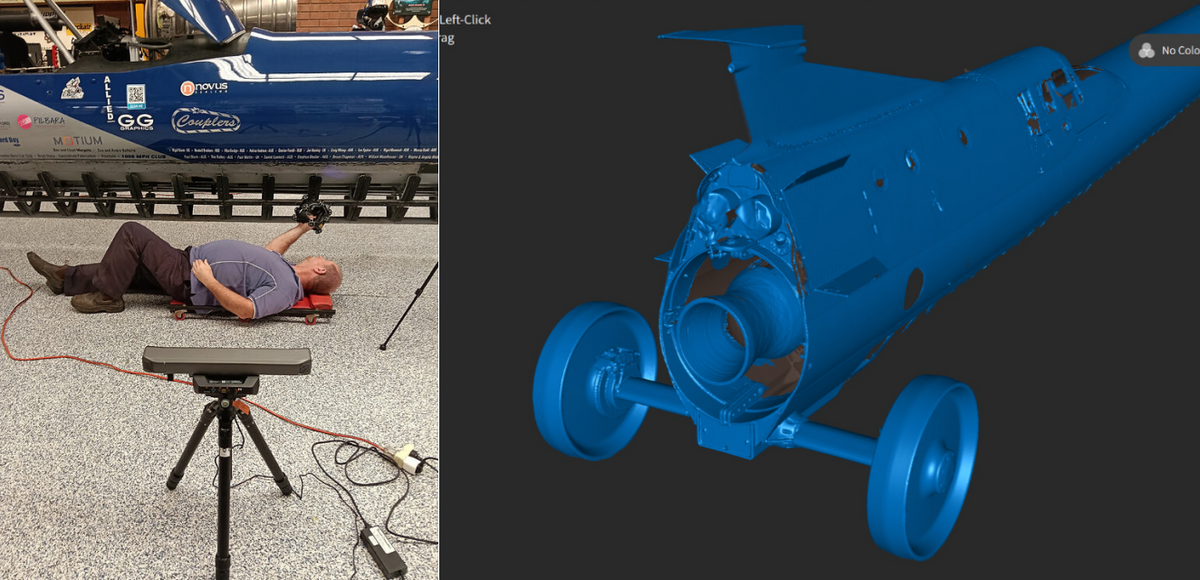
RANGE 3 works at 200–1,000 mm and captures up to 687 × 672 mm in one frame at 1,000 mm. Its maximum scan volume is 4 × 4 × 4 m. That is room to build a large scan, not a promise that a four-metre subject is captured in one shot: you still make steady passes and overlap them so the software can align each view.

At 218 g and 163 × 57 × 32 mm, the scanner is light enough to sweep around a sculpture or piece of furniture without setting up a heavy support rig. In a first session, that leaves more attention for the scan itself: where to hold the device, how to move and which areas need another pass.
Wi-Fi 6 provides a cable-free way to scan, while USB-C supports a wired setup. For wireless work, the 5,000 mAh Battery Grip is optional with RANGE 3; check the selected package before planning a mobile setup. A wireless scan still needs a compatible computer or mobile device running Revo Scan 6.
VCSEL structured light is built for the overall form
RANGE 3 uses near-infrared VCSEL structured light, with a listed scanning speed of 20 to 30 frames per second. It is designed to capture broad surfaces quickly, making it useful for the outline, proportions and surface geometry of people, sculptures, mannequins, furniture and large props.
A helpful approach is to capture the whole form first, then revisit areas that need more coverage. Keep the scanner within the working-distance range, move smoothly and let each view overlap with the last. The tracking system needs to recognise how one frame relates to the next; rushing, changing distance sharply or skipping areas can lead to gaps or alignment problems.
Creative projects to try with RANGE 3
Sculpture and art objects: A walk-around scan can preserve a sculpture for a digital portfolio, archive or online exhibition. You can bring the model into a sculpting application to study proportions, make design variations or create a new interpretation. RANGE 3 supplies the capture data; the artistic decisions happen in your editing software.

Full-body scans: Creators can use a scan as a starting point for a digital avatar, character concept, costume study or virtual presentation. The subject needs to stay as still as possible while you move around them. Agree on the pose before starting, ask permission, and explain how the scan files will be stored or used.
Furniture and large props: Capture the overall shape of a chair, costume prop, instrument case or decorative object for visualization, set planning or a custom model. For 3D printing, the mesh may still need splitting, cleanup, wall thickness or structural design in another app; a scan does not automatically become a print-ready object.
Set up RANGE 3 with Revo Scan 6
RANGE 3 works with Revo Scan 6 on Windows, macOS, Android and iOS. The software provides a live preview, scanning-distance feedback, point-cloud capture and the processing steps that turn captured frames into a model. Before a larger project, install the current version and check the compatibility requirements for the computer or mobile device you plan to use.
For a first session, connect the scanner to a USB 3.0 Type-C port and follow Revo Scan 6’s calibration check. If you prefer to move freely, attach the optional Battery Grip, connect your computer or phone to the scanner’s Wi-Fi network, and open Revo Scan 6. In either setup, the software remains part of the capture process; RANGE 3 does not operate as a standalone scanner that produces a finished model by itself.
A beginner-friendly walk-around workflow
1. Set the subject and the goal. Decide whether you need a digital sculpture reference, an avatar, a furniture model or a 3D-printing base. Clear enough space to walk around the subject and keep it stable. For a person, settle the pose and explain the process before the scan begins.
2. Choose how the scanner will track. Feature tracking works best when the surface has recognisable shapes, edges or texture. If a large area is plain or repetitive, use markers as reference points and place them in an irregular pattern. The RANGE 3 quick-start guide recommends keeping at least five markers visible in a frame during marker scanning.
3. Connect and check distance. Open a new scan in Revo Scan 6, select the object type that fits the subject, and watch the distance indicator. Keep the scanner in the Good or Excellent range where practical; for VCSEL scanning, the working distance is 200 to 1,000 mm.
4. Capture the broad shape. Move at a steady pace around the subject and overlap successive views. Start with the largest surfaces and overall silhouette before spending time on recesses, edges or small details. If the tracking preview becomes unstable, pause, return to a clearly captured area and continue with more overlap.
5. Check coverage before ending the scan. Review the live point cloud from different angles and look for missing regions behind the subject, under overhangs or between limbs and props. Add another pass only where needed; extra repeated frames over the same area do not automatically improve the result.
6. Process and export. Use Revo Scan 6 to fuse the captured data, remove unwanted background and generate or edit the mesh. The software’s available crop and segmentation tools can help isolate the target. Export a format suited to the next step, such as STL or 3MF for many printing workflows, or OBJ and PLY when colour information is needed. See the Revo Scan 6 workflow for the current processing and export options.
A practical approach to full-body scanning
People move more than statues or furniture, so keep the scan plan simple. Ask the subject to stand comfortably, hold a repeatable pose and remain still for the capture. Tying back long hair and removing reflective accessories can make the surface easier to capture. Avoid rushing to cover every detail in one pass.
A useful route is to begin near the top of the head, then move steadily around the subject in a descending spiral, keeping each pass connected to the last. Check the preview for tracking loss and pause to fill gaps if the subject needs a break. For a full-body result, plan separate angles for areas hidden by arms, clothing or the subject’s stance.
For more guidance on positioning and the scan path, see our step-by-step guide to 3D scanning a person. RANGE 3 captures surface geometry for creative use; it is not a medical measuring device or a substitute for a professional body-measurement process.
Turn scan data into a usable creative model
The raw scan is the beginning of the digital model, not always the final deliverable. In Revo Scan 6, review the point cloud, fuse the data, remove stray background points and create a mesh. You can then smooth, simplify or fill small holes where appropriate, while checking that editing has not removed features you want to keep.

RANGE 3 supports PLY, OBJ, STL, ASC, 3MF, GLTF, FBX and Splat exports. OBJ or PLY can retain colour data for compatible workflows; STL or 3MF are common choices for 3D printing; GLTF or FBX can suit digital scene and animation tools. Check the requirements of the destination app before choosing an export format.
Beginner tips for cleaner scans
Transparent and highly reflective surfaces, such as glass or polished metal, may need scanning spray. Very dark surfaces can also be difficult for optical capture. Use even lighting for colour scans, and check the preview before continuing. When scanning a person, motion, loose hair and reflective accessories can reduce coverage or interrupt tracking.
RANGE 3’s listed VCSEL volumetric accuracy is 0.05 mm + 1 mm × L (m), where L is the object length in metres, measured under controlled test conditions. Actual results vary with the subject, surface, lighting, tracking and scan route. Treat the result as creative geometry for modeling or visualization, not as a certified measurement report.
Who is RANGE 3 for?
RANGE 3 suits makers, artists, cosplayers, educators and digital creators who want to explore scanning subjects that are bigger than a desk-top model. It can capture sculptures, people, furniture and props without asking the user to move the object onto a small scanning platform.
Frequently asked questions about RANGE 3
Q: What size objects can RANGE 3 scan?
A: It supports scan volumes up to 4 × 4 × 4 m, with a working distance of 200 to 1,000 mm and a single-frame capture area up to 687 × 672 mm at 1,000 mm. Large subjects are built from overlapping views, not captured in one frame.
Q: Can RANGE 3 scan a person or a sculpture?
A: Yes. Its wide-area VCSEL mode is designed for large subjects, including human bodies and sculptures. For people, use a stable pose, move steadily around the subject and overlap the scan path to reduce tracking gaps.
Q: Can I use RANGE 3 wirelessly?
A: Yes. RANGE 3 supports Wi-Fi 6. Wireless operation requires a compatible computer or mobile device and the optional 5,000 mAh Battery Grip; a USB-C wired connection is also available.
Q: Does RANGE 3 use laser-line scanning?
A: The standard RANGE 3 uses near-infrared VCSEL structured light. Check the exact product version and its specifications if a project requires a different scanning mode.
Conclusion
RANGE 3 makes large-object scanning approachable: capture a sculpture, person or prop in overlapping passes, then refine the model in Revo Scan 6. Explore the Revopoint RANGE 3 3D scanner and start with one clear creative goal.

Leave a comment
This site is protected by hCaptcha and the hCaptcha Privacy Policy and Terms of Service apply.