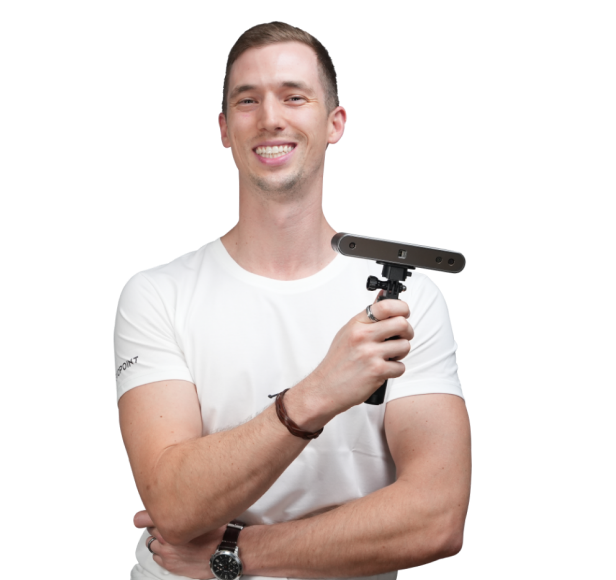
Multi-Line Laser &
Full-Field Blue Light 3D Scanning

MetroX Series 3D Laser Scanners
Blue Multi-line Laser & Full-field Blue Light


Speed - Up to 30 Cross-lines
Details - Up to 15 Parallel Lines
Marker-free Feature-rich Object Scans
62-Line Full-Field Structured Light
Auto Turntable Mode

Scanning Volume
Small to Medium Objects

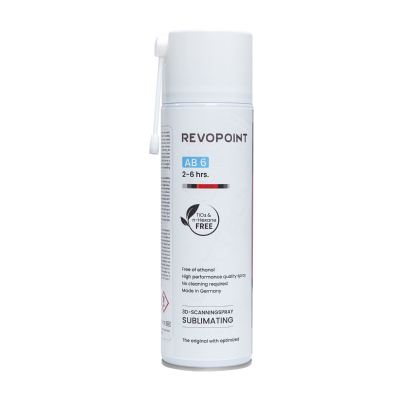
No Scanning Spray Needed
Scan Shiny or Black Surfaces

Volumetric Accuracy
0.02 mm + 0.04 mm × L (m)

Faster Scans
Up to 7,000,000 Points/s
For Full-field Structured Mode
Up to 2,000,000 Points/s
for Multi-line Laser Mode

Fast GPU Powered Scans
Up to 60 FPS

Flexible Single Capture Area
160 x 70 mm at 200 mm
320 x 215 mm at 400 mm

PC-to-Mobile Scan Streaming
Cross-Screen Displays

From Scanning to 3D Measurement


*Note: When using the MetroX series Full Field or Auto Turntable scanning modes, scanning spray for dark or shiny surfaces is recommended.
Industrial Blue Light Scanner
4 Scanning Modes, Limitless Possibilities
Rapidly scan flat, shiny, or dark surfaces without using scanning spray.
Up to 800,000 Points/s 30 Cross Lines:
Up to 2,000,000 Points/s
*GPU Compatibility: Only NVIDIA RTX 30 and 40 Series GPUs are currently supported.(Windows Only)
Capture fine details, edges, and complex surfaces.

Scan feature-rich workpieces marker-free in seconds with 62 powerful light lines, generating point clouds at up to 7 million points/s for fast, accurate 3D data.
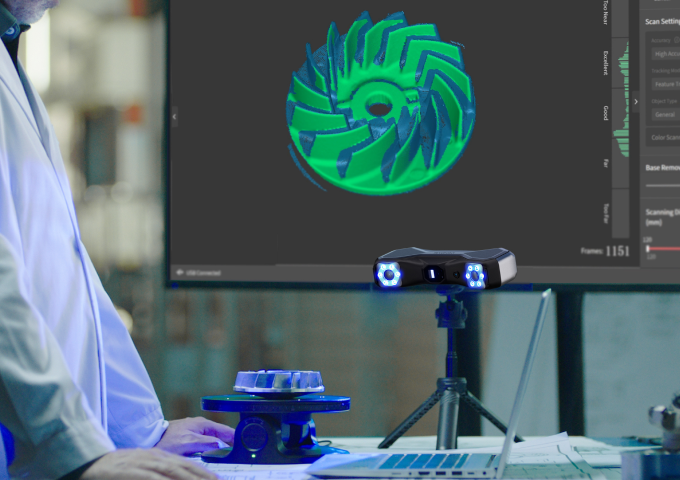
Perform flawless, full-color, automated one-click scans with the Dual-axis Turntable, Revo software, and MetroX Series working together.
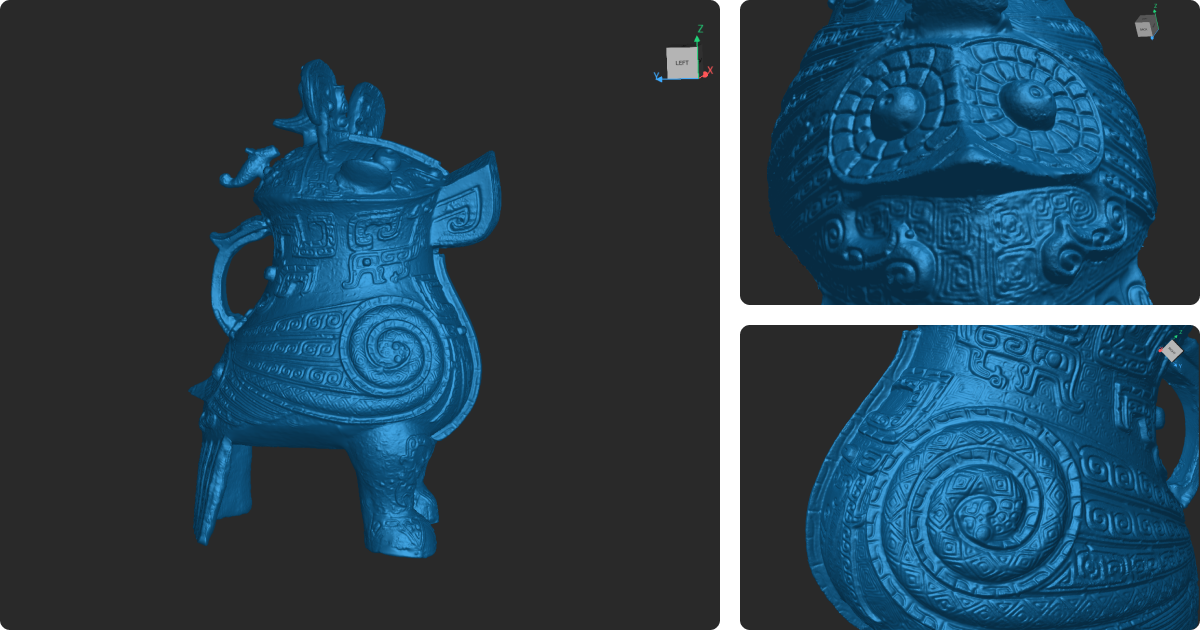
High Volumetric Accuracy
Digitize complex geometry with high fidelity to generate accurate 3D models that are ready
for metrology or scan-to-CAD workflows.
*L is the length of the object.
The high-precision calibration board ensures that the MetroX Series always maintains its accuracy and precision.
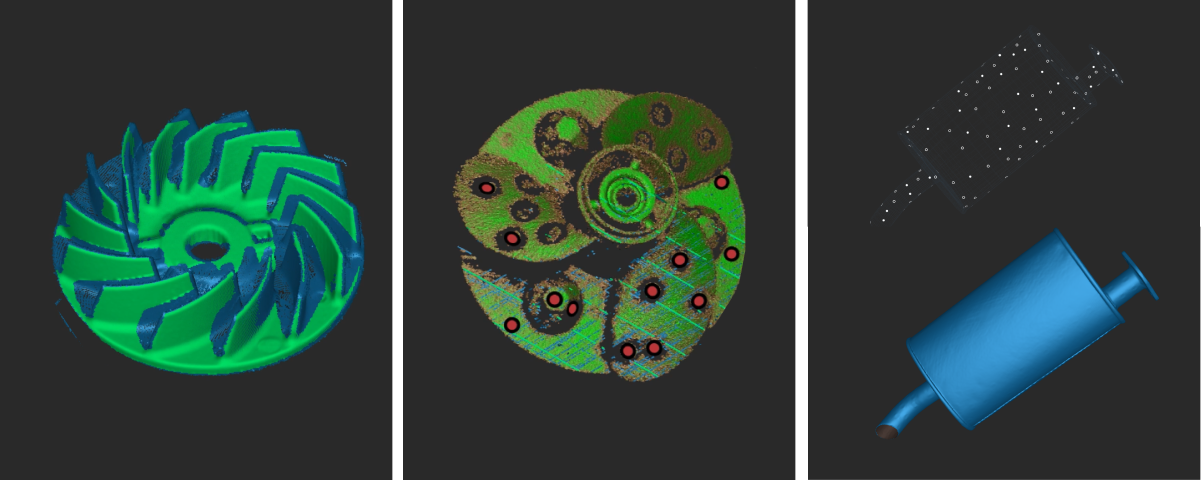
Three Tracking Modes
Feature mode for detail-rich objects, Marker for featureless objects, and Global Marker
for increased volumetric accuracy.
GPU Accelerated, Up to 60 FPS Scans
*GPU Compatibility: Only NVIDIA RTX 30 and 40 Series GPUs are currently supported.
(Windows Only)
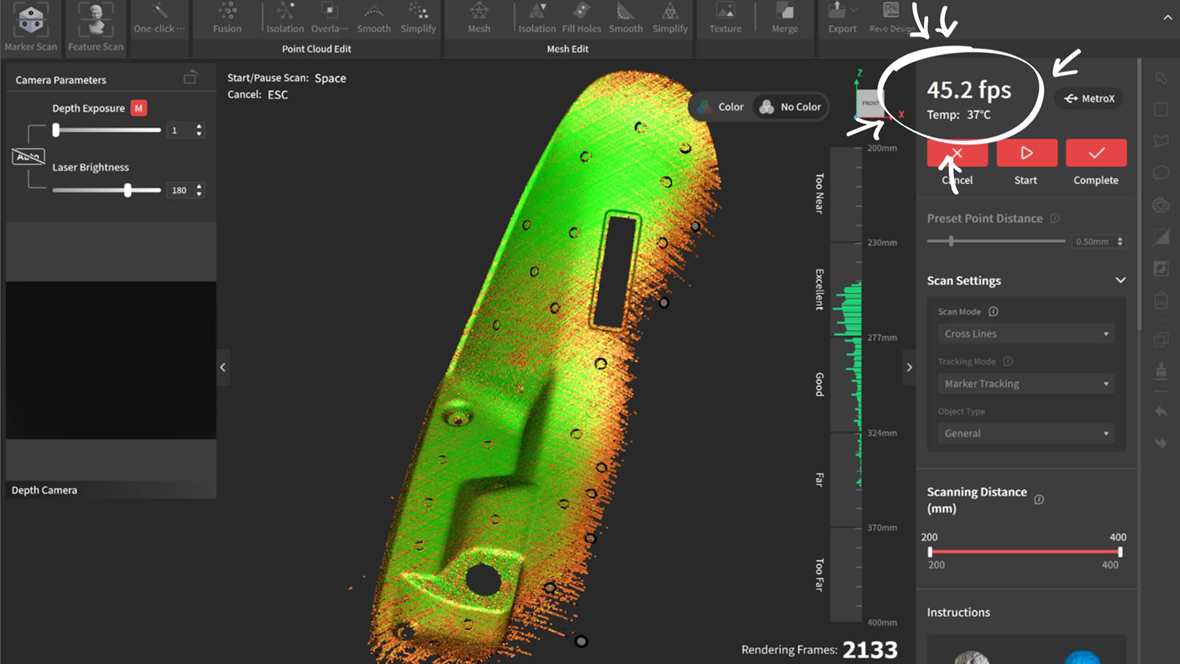
Before
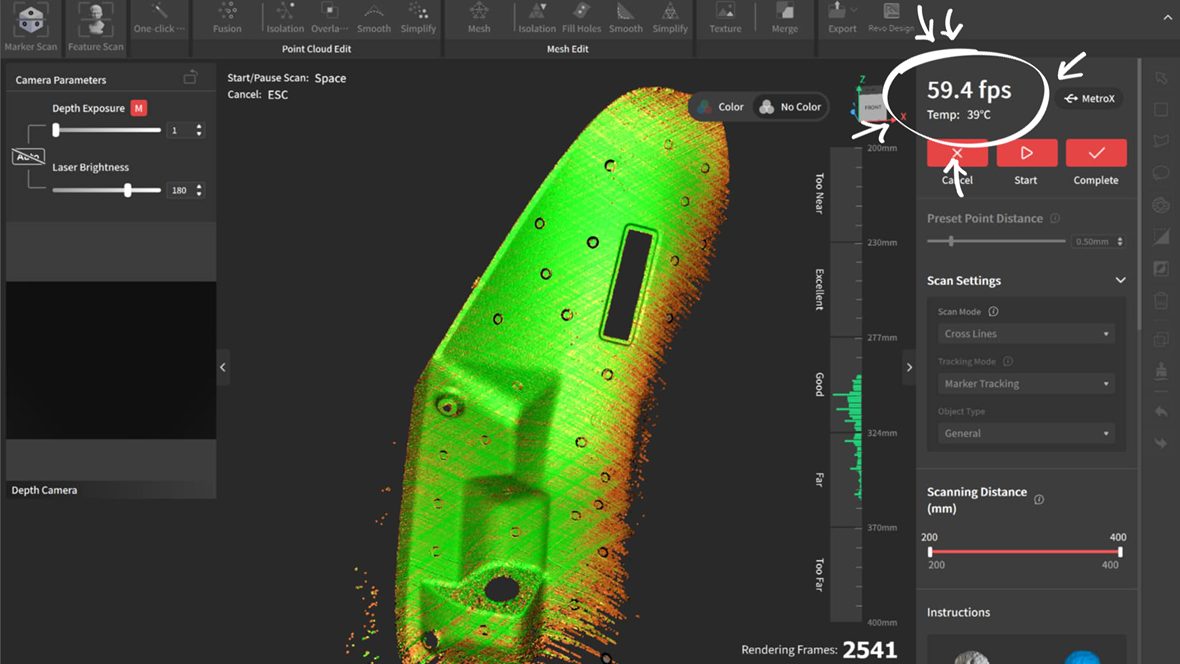
After
Stream, Monitor, Optimize!
Stream your scan in real-time from your PC to a phone, tablet, or display via the Revo Mirror app. See your scan take shape, detect data gaps, and move around freely without holding your laptop.

Scan Faster with Marker Blocks
Set up a marker-rich environment for scans in no time with the handy set of shaped marker blocks in the MetroX Series Advanced Editions.

Easy to Control
Effortlessly control your scans, start/pause, adjust depth camera exposure, and digitally zoom on the fly using its 4-button control system.
Capture color-accurate scans for added realism in Auto Turntable mode using MetroX’s HD RGB camera for vivid color reproduction.
Revo Metro: Free Scanning Software
Intuitively create 3D models in easy four steps
Works On: Windows, macOS
Output Formats: PLY, OBJ, STL, ASC, 3MF, GLTF, FBX
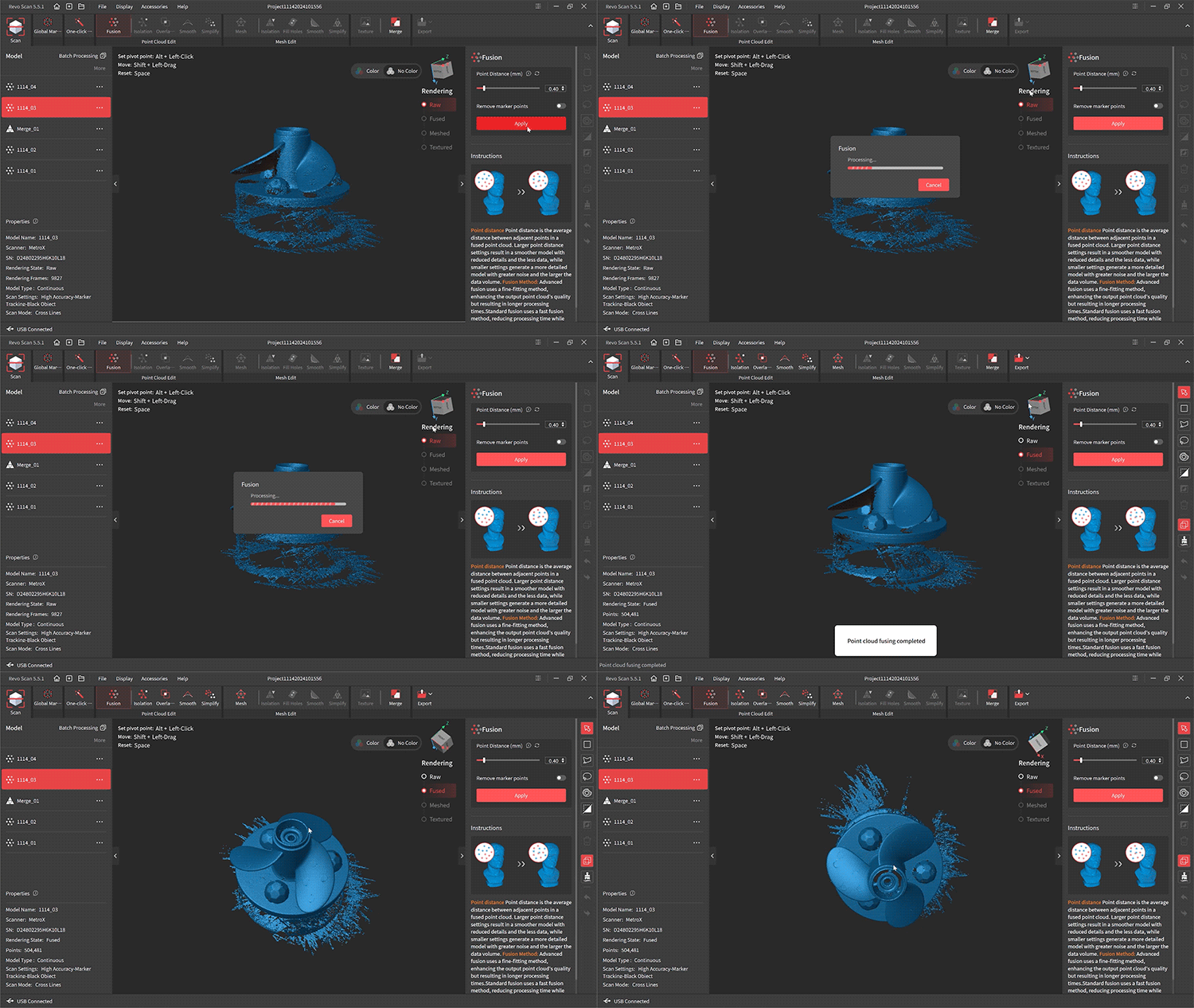
Scan
Granular scan settings let you control every aspect of the
scanning process
Process
Process your raw point cloud automatically with one-click
editing or fully fine-tune it with fusion and meshing tools
Edit
Swiftly remove unwanted data, fill holes, smooth, and simplify
your 3D model
Export
Export your scans in formats compatible with major software
for quality control, CAD, 3D slicing, and modeling
Seamless 3D Scanning Ecosystem
No more juggling software. Enjoy a unified workflow from scan-to-CAD to inspection with MetroX Series, Revo Design, and Revo Measure working together as one professional ecosystem.

Reviews on YouTube

Captured with MetroX & MetroX Pro
Explore More >
Professional Applications

Reverse Engineering
Capture every detail with up to 0.02 mm accuracy using MetroX Series multi-line laser modes. Preserve complex geometry and seamlessly export scans to Revo Design for fast, precise scan-to-CAD workflows.

Quality Control
Inspect complex parts quickly and accurately. Combined with Revo Measure, the MetroX Series enables fast verification against design requirements, helping you detect deviations and maintain product quality.

Additive Manufacturing
Create perfect digital twins for reproduction, repair, or redesign. The MetroX Series captures precise 3D data for small to medium-sized objects, ensuring your additive manufacturing process is accurate and efficient.

Rapid Prototyping
Keep prototypes on track with high-precision dimensional data. MetroX Series reduces iterations, saves time, and ensures your designs meet specifications from the first scan.
Why Choose MetroX

"Combining hybrid multi-line blue lasers and full-field structured light, the MetroX 3D scanner is built for professional applications such as reverse engineering, quality control, additive manufacturing, and rapid prototyping, and addresses many of the pain points of traditional 3D scanners."
"In 3D printing and additive manufacturing, MetroX’s 3D data can be used to create high-quality printed prototypes or customized parts."
"MetroX has the ability to capture a wide range of subjects, from motor parts to sculptures, from metallic objects to textured 3D models."
MetroX vs. MetroX Pro
|
Name
|
MetroX
|
MetroX Pro
|
|
Scanning Type
|
Handheld and Desktop
|
|
|
Technology
|
Multi-line Laser Scan and Full-field Structured Light Scan
|
|
|
Scannable Object Size
|
Small to Medium
|
|
|
Single-frame Precision, up to
|
0.01 mm
|
|
|
Single-frame Accuracy, up to
|
0.02 mm
|
|
|
Volumetric Accuracy
|
0.025 mm + 0.05 mm × L (m), L is the length of the object.
|
0.02 mm + 0.04 mm × L (m), L is the length of the object.
|
|
Fused Point Distance, up to
|
0.05 mm
|
|
|
Working Distance
|
200 ~ 400 mm
|
|
|
Single Capture Area at Nearest Distance
|
160 × 70 mm at 200 mm
|
|
|
Single Capture Area at Furthest Distance
|
320 × 215 mm at 400 mm
|
|
|
Angular Field of View (H x V)
|
43 × 33°
|
|
|
Minimum Scan Volume
|
10 × 10 × 10 mm
|
|
|
Maximum Scan Volume
|
1 × 1 × 1 m
|
|
|
Scanning Speed, up to
|
Multi-line Blue Laser: 800,000 Points/s
Full Field Blue Light: 7,000,000 Points/s
|
Multi-line Laser Scan: 2, 000, 000 Points/s
Full-field Structured Light Scan: 7,000,000 Points/s
|
|
RGB Camera Resolution
|
2 Megapixels
|
|
|
Color Scanning
|
Only in Auto Turntable Mode
|
|
|
Tracking Methods
|
Feature, Marker, Global Marker
|
|
|
Outdoor Scanning
|
No
|
|
|
3D Light Source
|
14 Blue Cross Laser Lines
7 Blue Parallel Laser Lines
62 Line Blue Full-field Structured Light
|
30 Blue Cross Laser Lines
15 Blue Parallel Laser Lines
62 Line Blue Full-field Structured Light
|
|
Fill Lights
|
12 Blue LEDs
|
|
|
CPU
|
4 core ARM, 2.0 GHz
|
|
|
Built in Chip Computing
|
Depth Computing
|
|
|
Buttons
|
4
|
|
|
Minimum PC Requirements
|
macOS:
CPU: M1 Pro/Max/Ultra, RAM ≥ 16GB Windows: CPU: Intel i7 13th Gen or AMD Ryzen 7 5800, RAM ≥ 32GB, GPU : NVIDIA GeForce RTX 3060 (8GB) Note: ① If you're unsure about the CPU configuration, please ensure that the CPU has cores≥8, threads≥16, and a base frequency ≥2.4GHz. ② Only in Laser Line Scanning modes, a dedicated graphics card is required for acceleration. AMD and MAC GPUs do not currently support acceleration. |
macOS:
CPU: M2 Pro, RAM ≥ 16GB Windows: CPU: Intel i7 13th Gen or AMD Ryzen 7 5800, RAM ≥ 32GB, GPU: NVIDIA GeForce RTX 3060 (8GB) Note: ① If you're unsure about the CPU configuration, please ensure that the CPU has cores≥8, threads≥16, and a base frequency ≥2.4GHz. ② Only in Laser Line Scanning modes, a dedicated graphics card is required for acceleration. AMD and MAC GPUs do not currently support acceleration. |
|
Recommended PC Requirements
|
macOS:
CPU: M2 Pro/Max/Ultra, M3 Pro/Max/Ultra, RAM ≥ 24GB Windows: CPU: Intel i9 12th Gen or better, RAM ≥ 64GB, GPU: NVIDIA RTX 4060 (8 GB) or better |
macOS:
CPU: M4 Pro or better, RAM ≥ 24GB Windows: CPU: Intel i9 12th Gen or better, RAM ≥ 64GB, GPU: NVIDIA RTX 4060 (8 GB) or better |
|
Compatible Operating Systems
|
Windows 10/11 (64-bit), macOS 11.0 or better
|
|
|
Output File Formats
|
PLY, OBJ, STL, ASC, 3MF, GLTF, FBX
|
|
|
Ready to Print 3D Models
|
✔
|
|
|
Connector Type
|
USB Type-C
|
USB Type-C to Type-C
|
|
Power Requirements
|
DC 12V, 3A
|
|
|
Scanner Weight
|
508 g
|
|
|
Dimensions (L x W x H)
|
209 × 88 × 44 mm
|
|
|
Special Object Scanning
|
Please use scanning spray when scanning transparent or specular surfaces in Multi-Line Laser modes. Using scanning spray is recommended when scanning transparent, black, specular, or highly reflective surfaces in Full-Field Structured Light modes.
|
|
|
User Recalibration
|
Yes
|
|
|
Supported Accessories
|
Dual-axis Turntable, Marker Block Kit
|
|



MetroX’s
Brochure

Software Download
Revo Scan 5 MetroX offers user-friendly scanning,
editing, and model merging.
Revo Scan 5 MetroX offers user-friendly scanning,
editing, and model merging.

24/7 Support
Speak to a Revopoint expert now. Whether by phone, chat, or email, we’re ready to help you with all of your product questions and issues.
Speak to a Revopoint expert now. Whether by phone, chat, or email, we’re ready to help you with all of your product questions and issues.